Guess what? Sneak Peek of RepLog for iOS. Practice Anywhere, Sync Everything.

We've been keeping a bit of a secret over the past few weeks, but today we’re finally ready to share a sneak peek of what we’ve been working on. Say hello to RepLog on iOS! Here is a first look (taken straight from our active development builds - no mockups here!) at how you'll be able to track your goals, manage your settings, and log your rehearsal sessions right from your pocket - and sync it all with your desktop.
Whether you're practicing at home, in a studio, or backstage before a gig, you'll have all your tools right at your fingertips. From custom metronome defaults to visual goal progress trackers, the mobile experience is designed to keep you focused on what matters most: your music.
While the macOS version of RepLog is fantastic for desktop work and setting up your music room, we know that musicians are always on the move. Whether you're traveling for a gig, heading to a rehearsal studio, or just practicing in a different corner of the house, you shouldn't have to drag your laptop along just to log your sessions.
That's why we've been designing the iOS version of RepLog from the ground up to feel fast, native, and incredibly comfortable on a smaller screen.
A Clean, Focused Dashboard
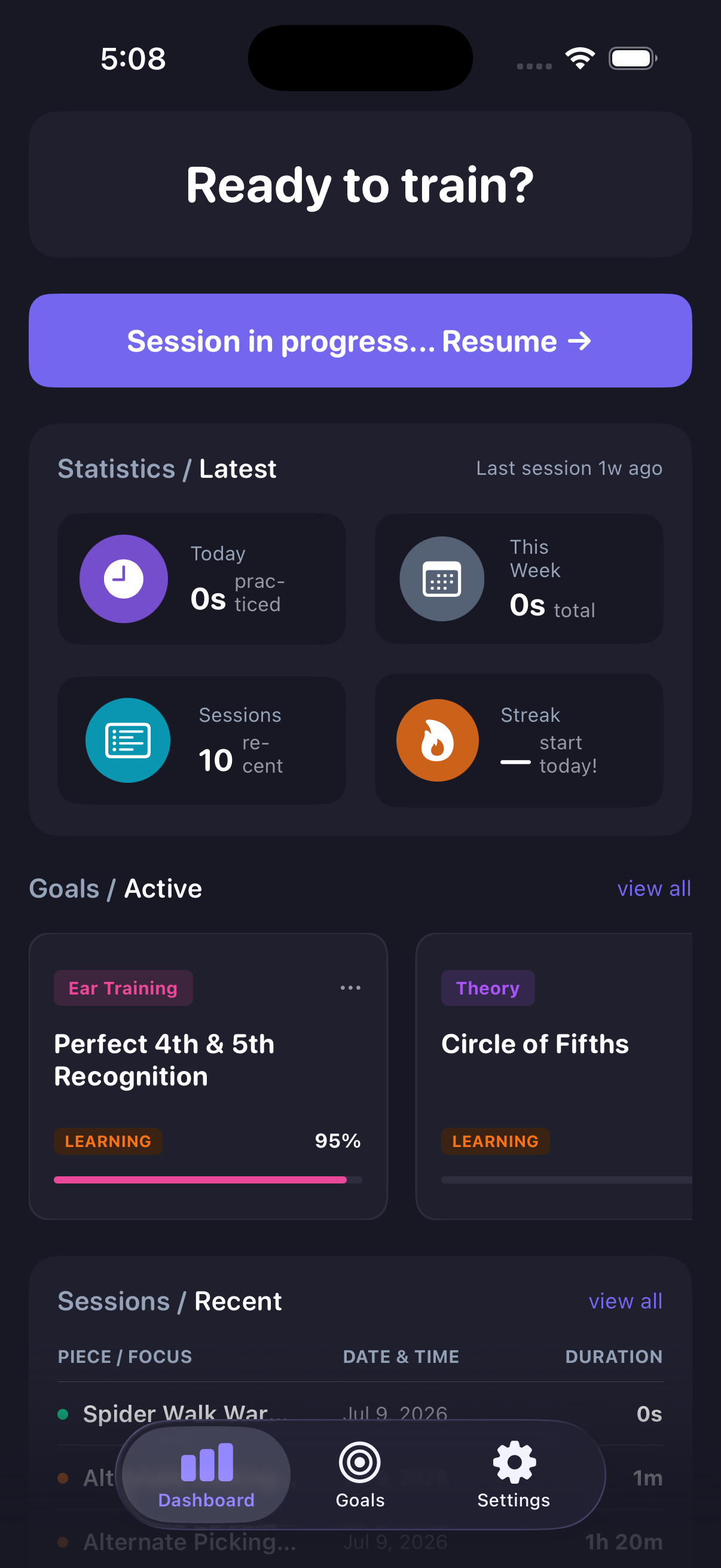 The dashboard has been optimized to give you a quick glance at your daily and weekly progress. You can see your practice time for today and this week, check your current session streak, and view active goals (like perfecting a relative pitch ear training exercise or working through the Circle of Fifths). There is also a quick "Resume" button to pick up right where you left off if a session is in progress.
Mobile-First Goal Management
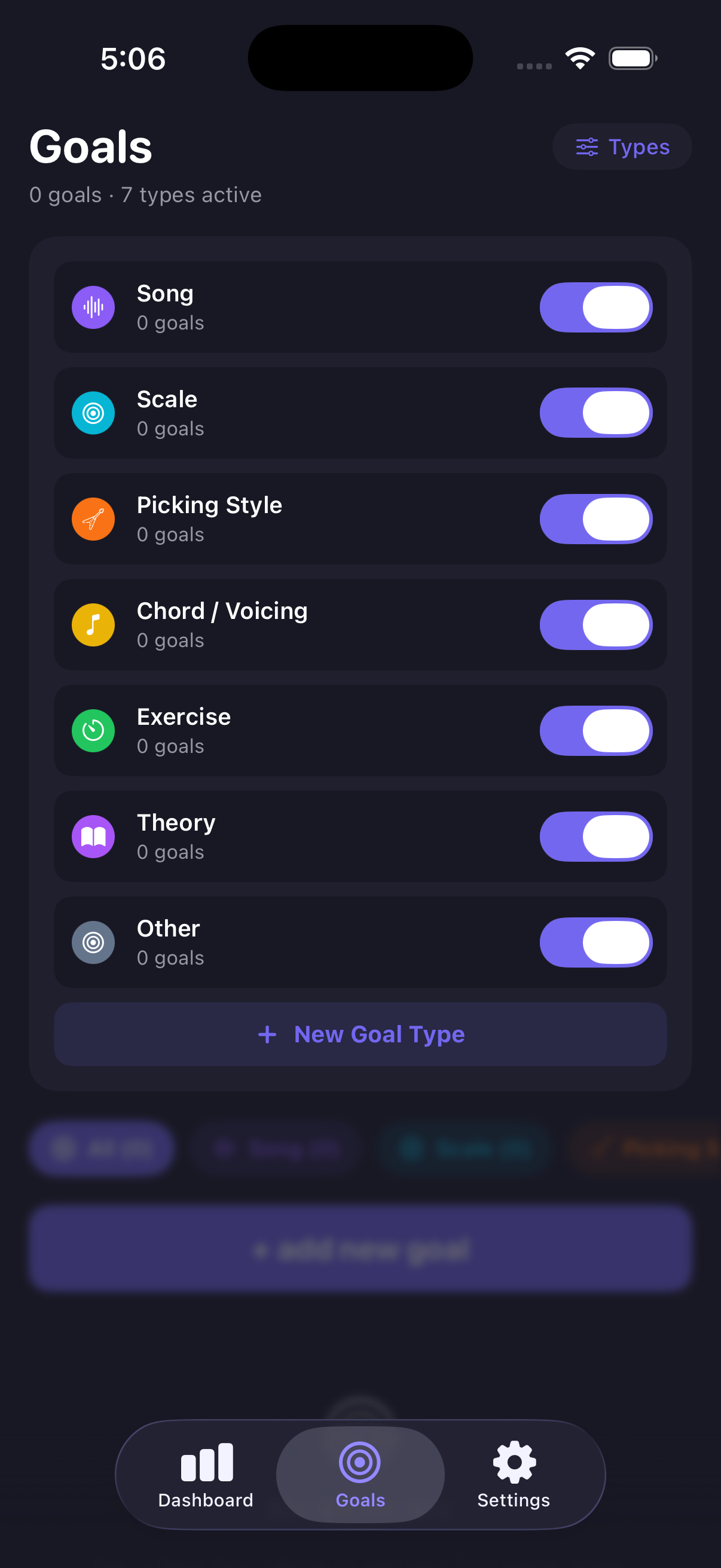 We've made adding and organizing your goals a breeze. The iOS app features a dedicated tab bar to jump straight to your Goals list. You can filter your goals dynamically by type (Songs, Scales, Picking Styles, Exercises, and more) or toggle active goal types in your settings.
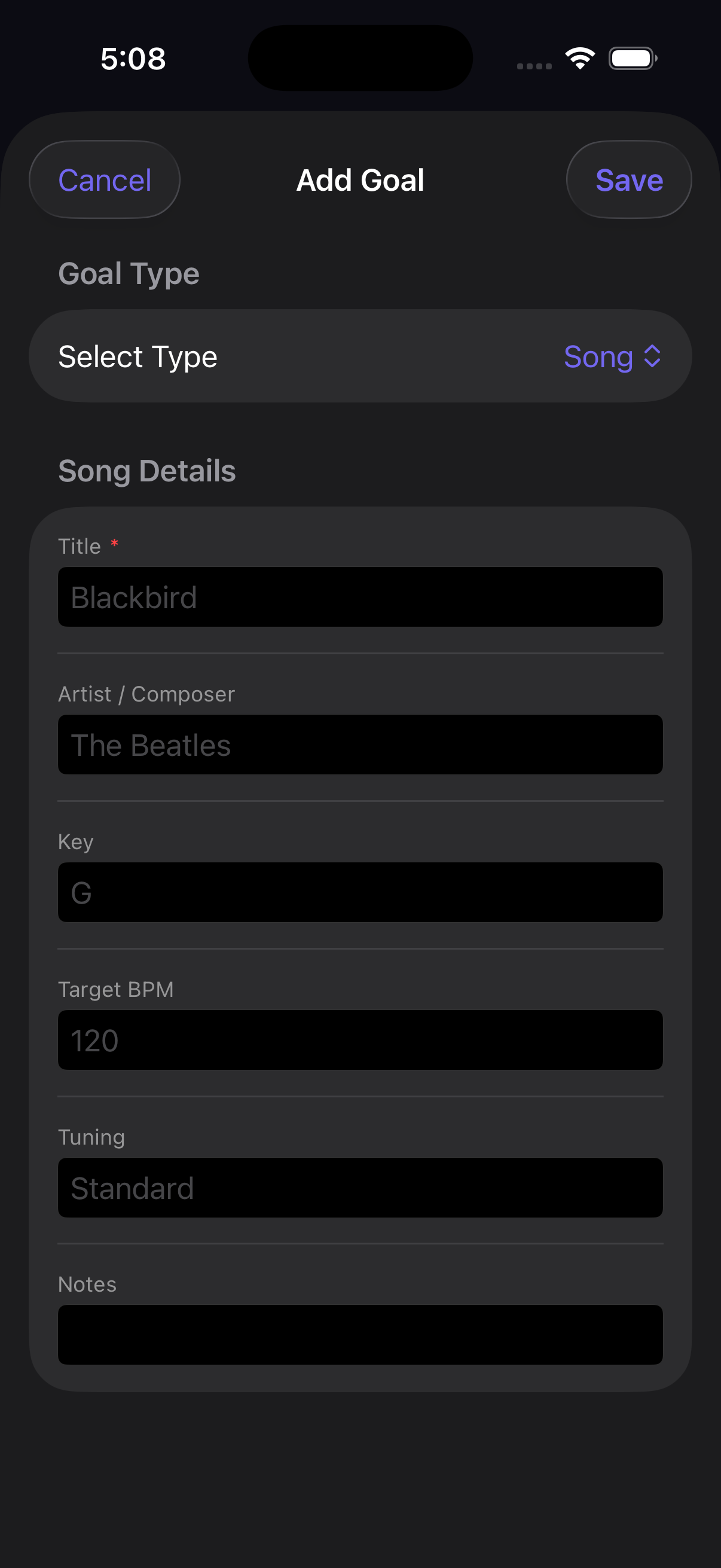 Creating a new goal is as simple as filling out a clean, native modal form where you set key details like target BPM, tuning, key, and custom notes.
Customizable Themes and Metronome Defaults
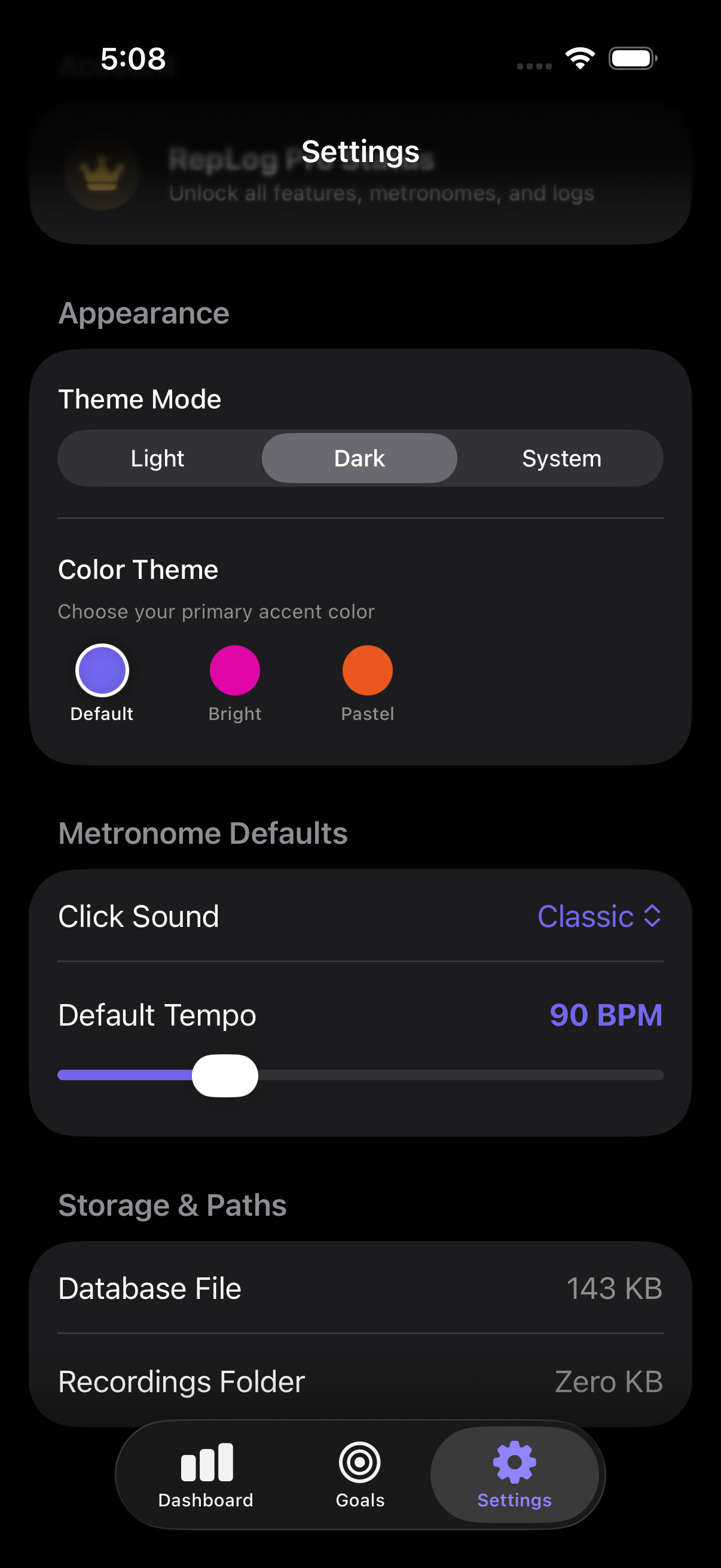 We believe your tools should fit your aesthetic. In the settings panel, you can choose between Light, Dark, or System theme modes and customize your primary accent colors (Default, Bright, or Pastel). You can also configure default metronome settings (like choosing a classic click sound or adjusting the default tempo slider) so the metronome is always set exactly the way you like it when you start practicing.
Seamless Desktop Sync
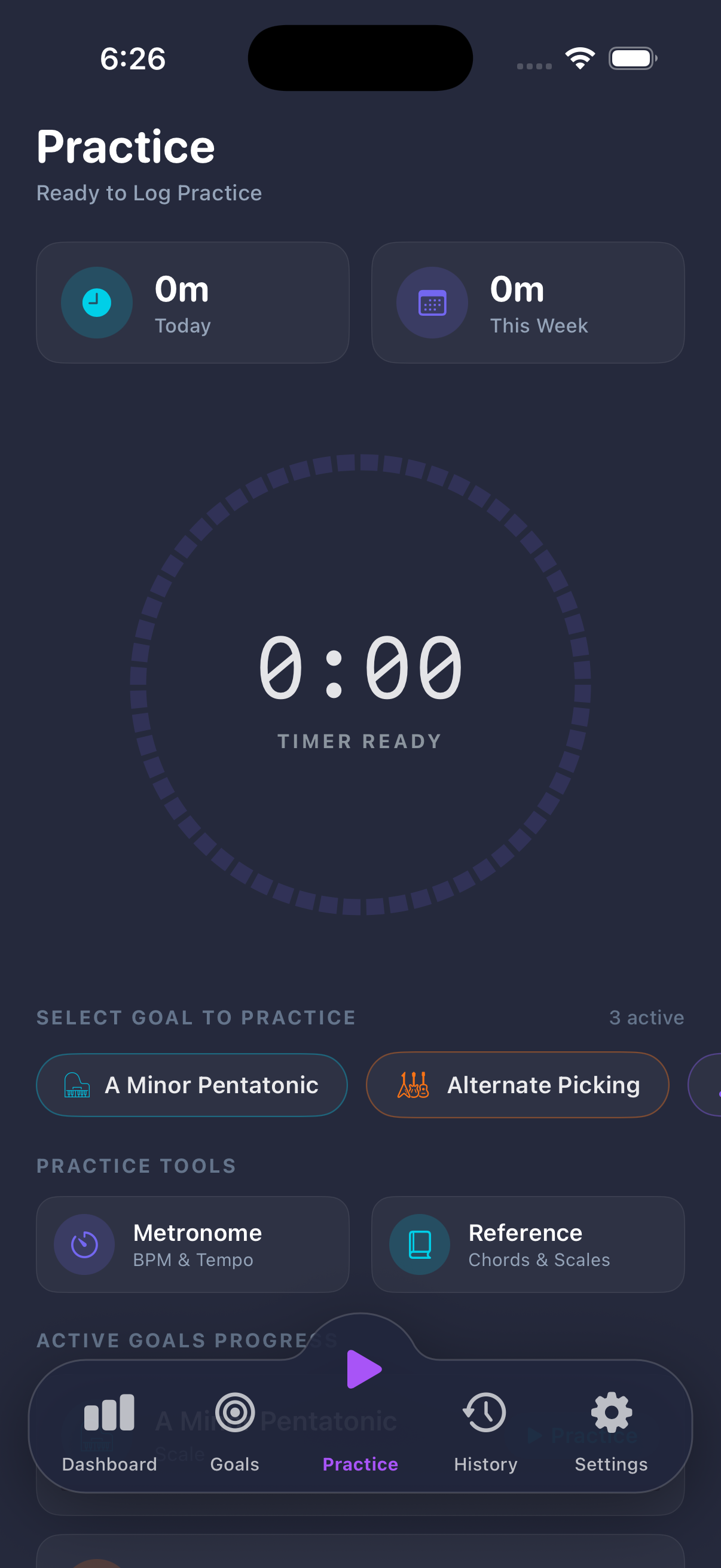 Of course, a mobile app is only as good as its connection to your main workstation. RepLog iOS will feature seamless database sync, meaning all your session histories, active goals, and tempo milestones will automatically stay in perfect harmony between your Mac and your iPhone. Start a session on your desktop, log some repetitions on your phone in the practice room, and watch your dashboard update everywhere.
Stay Tuned!
We are currently polishing the iOS app and getting it ready for testing. It’s built with the same indie care and focus on simplicity as our desktop app, keeping you close to your instrument and away from distractions.
Let us know what you think of this sneak peek, and keep an eye out for beta testing invites soon!