RepLog on Apple Watch: Practice Tracking & Metronome on Your Wrist

While the macOS and iOS versions of RepLog keep your workstation and practice room in sync, sometimes even pulling out a phone can take your hands off your instrument and break your momentum. Whether you're grinding through scale reps, dialing in lead parts, or practicing behind a kit, your practice tool should stay out of your way.
That's why we're bringing RepLog to watchOS: putting your practice session tracker and metronome right where they belong, right on your wrist.
1. Frictionless Practice Tracking
Starting a track practice session takes a single tap. A clean, circular progress indicator keeps your workspace minimalist and readable at a glance so you can focus entirely on playing.
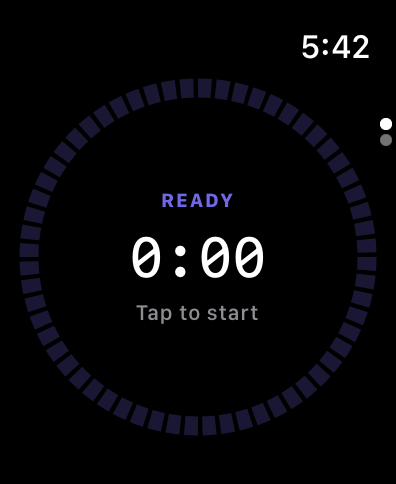 During active sessions, a high-contrast timer display keeps real-time practice duration visible without cluttering the screen. Whether you're running rhythm exercises or nailing the solo on Still Got the Blues, simply tap the screen when you finish your rep.
2. On-Wrist Metronome
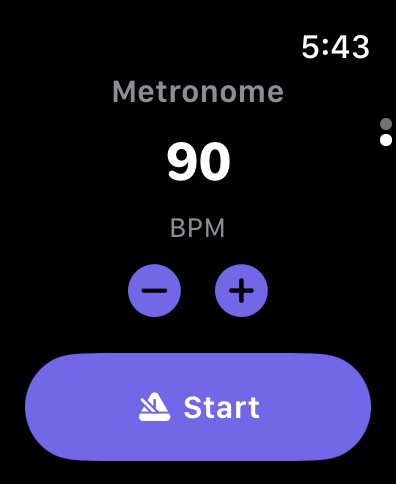 No need to open secondary metronome apps or fiddle with external gear. RepLog’s built-in watchOS metronome lets you dial in tempos on the fly using tactile adjustment controls and clean start/stop states.
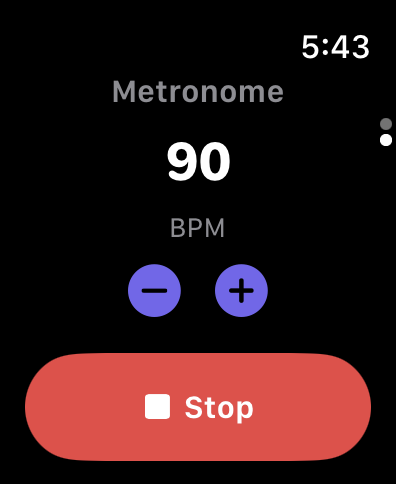 Step your target tempo up or down easily with single-bpm precision or quick adjustments, keeping your timing tight without taking your eyes off your fretboard.
3. Immediate Session Summary
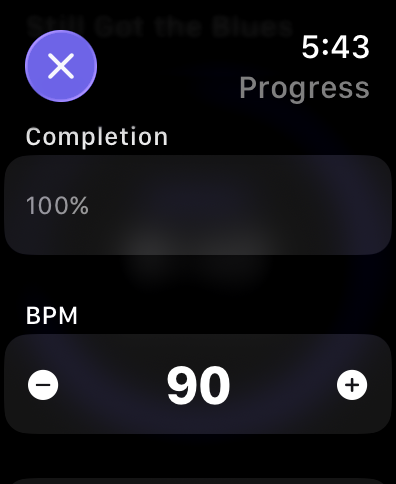 Once you complete a repetition, RepLog instantly breaks down your run right on your watch face. Review target completion percentages, logged BPM, and total session time before launching into your next rep.
Seamless Ecosystem Sync
Every rep logged on your Apple Watch automatically syncs with your iPhone and Mac. Your practice streaks, goal progress, and tempo logs stay in harmony across all your devices without any manual exporting.
Stay Locked In
Keep your phone in your case, stay locked into your tempo, and make every practice minute count. Let us know what you think of this preview, and stay tuned for watchOS availability in upcoming builds!